
Arpeggiator
The Arpeggiator is a step-and-lane sequencer. You hold a chord on its keyboard, and the pattern you drew decides which notes play on each step, with their own velocity, length and up to three modulation CCs per step. Everything stays in sync with RigAstra's global clock.
Use it for classic arpeggios, rhythmic chords, bass lines, motifs with long notes and per-step filter moves, always in time.
How the lanes work
The Arpeggiator has 8 lanes. The notes you hold on the keyboard are sorted from low to high, and each one takes a lane: the lowest goes to lane 1, the next one to lane 2, and so on up to lane 8.
- If you hold fewer notes than there are lanes, the lanes wrap around over them. With 2 notes, lane 3 plays note 1 and lane 4 plays note 2; with a single note, every lane plays it. That way no step of the pattern goes silent.
- If several lanes land on the same note on one step, that note plays only once, with the longest length.
- Each step plays at most 8 notes at once (one per lane).
Getting started
- In the Editor, add Arpeggiator from the MIDI section of the palette.
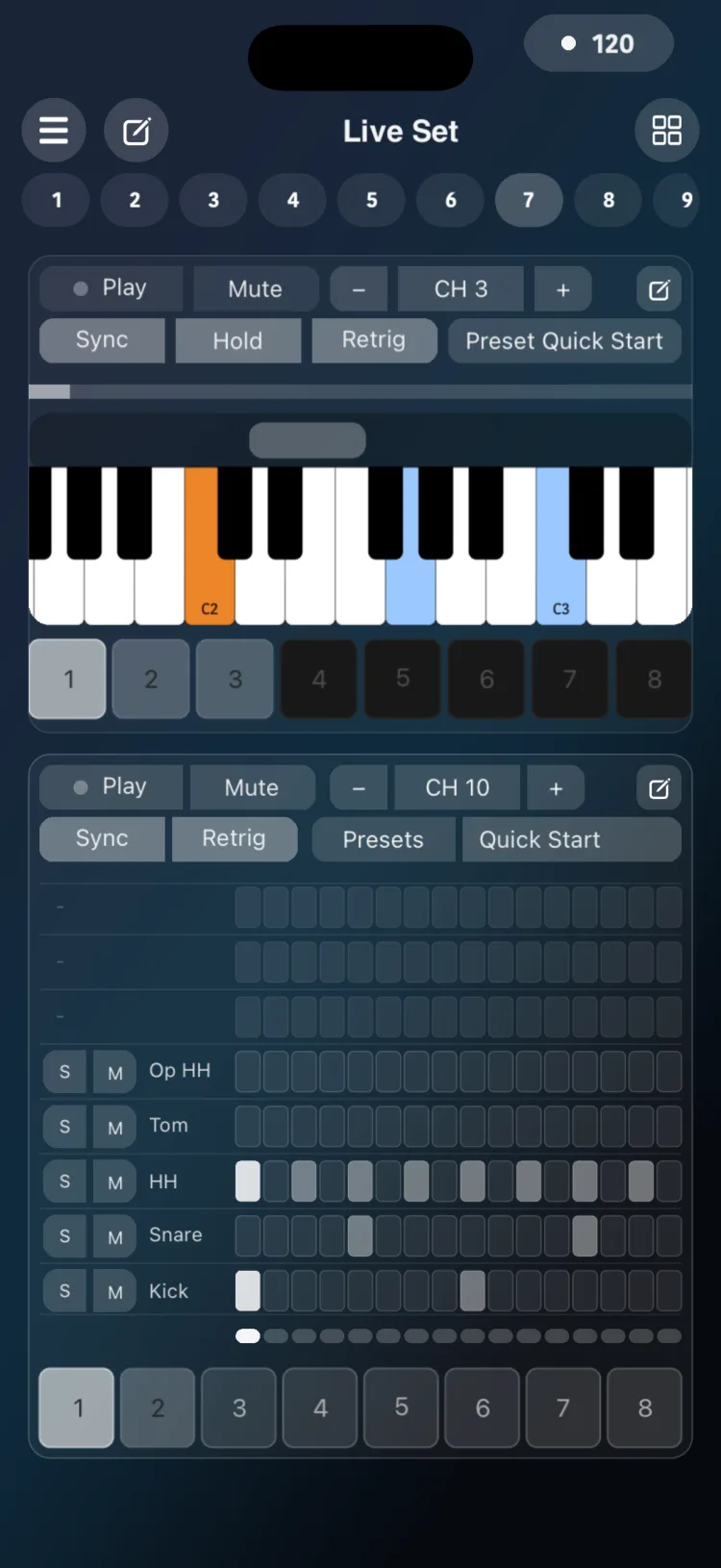
- Switch to Perform. The module shows a header, the step LEDs, a capture keyboard and, if you turned them on, 8 chord memory buttons.
- Tap Play and hold notes on the keyboard: the pattern plays while you hold them.
- Turn on Hold if you want the notes to keep sounding after you let go.
The header in Perform
| Control | What it does |
|---|---|
| Play / Stop | Starts or stops the pattern |
| Mute | The pattern keeps advancing but sends no notes |
| Sync | Locks the steps to the global pulse (see below) |
| Hold | Keeps the notes when you release the keyboard |
| Retrig | On, Play and Stop return to the first step. Off, Stop remembers the position and Play carries on with the next note |
| CH − / + | MIDI channel |
| Presets | Opens the preset library |
The pencil in the header opens the step editor. The inspector opens from the Editor.
Drawing the pattern
Open the step editor with the pencil in the header. It has several tabs:
- Notes: the grid of 8 lanes by steps. Tap a cell to turn it on or off. Drag horizontally to create or extend a long note that lasts several steps.
- Vel: the velocity of each step.
- Mod 1, Mod 2 and Mod 3: one CC value per step, from 1 to 127, drawn as bars. Each one is turned on separately and given a CC number. A step with no value drawn sends 64.
Below, the Gate fader sets note length as a percentage of the step. You also set Rate, Steps, Channel and Key Width with the − / + buttons, and the loop bracket picks the first and last steps that repeat. Tapping the Rate value opens a list to choose it from.
With more than 16 steps the grid is split into pages; ALL shows every step at once.
Step editor options
| Option | Values |
|---|---|
| Rate | 1/1, 1/2, 1/4, 1/8, 1/16, 1/32, 1/64, 1/4T, 1/8T, 1/16T, 1/32T (default 1/16) |
| Steps | 1 to 64 (1 to 48 with triplet rates); default 16 |
| Lanes | 8 |
| Velocity per step | 1 to 127 (default 100) |
| Gate | global percentage, applied between 5% and 99% of the step; a long note lasts its steps times the gate |
| Mod 1 to 3 | value from 1 to 127 per step (64 if not drawn); each can be turned on, with its own CC number |
| Channel | 1 to 16 |
| Key Width | 22 to 96 points |
| Loop | first and last step within the steps |
| Hold Type | Type 1 / Type 2 (see below) |
Sync and Retrig
- Sync on: steps fall on the global pulse grid, and when you tap Play the pattern waits for the next subdivision. Each rate advances at its real length: 1/1 takes one step every 4 quarter notes and 1/2 every 2 quarter notes, aligned to the global pulse.
- Sync off: the pattern starts the moment you tap Play, at the global tempo.
- Retrig on: Play and Stop return to the first step of the loop. Off, Stop remembers the position and Play carries on with the next note; with Sync, it plays it on the next subdivision.
- With an external MIDI Clock, Start restarts the arpeggiators that have Sync on, and Stop stops them. More in Tempo and clock.
Chord memories
If you turn on Chord Storage Buttons in the inspector, the module shows 8 buttons:
- Touch and hold a button (about 0.7 s) to store the chord that is playing.
- Tap the button to recall it.
If you store a memory with no notes held (Hold on and nothing playing), the button stays lit as an empty memory: recalling it silences the Arpeggiator, which keeps running until you load another memory or play notes. Buttons you never stored stay off and do nothing.
These memories can also be recalled from Macro Memories, as long as Chord Storage Buttons is on. An empty memory recalled from Macro Memories keeps the Arpeggiator silent, also when you go to its page.
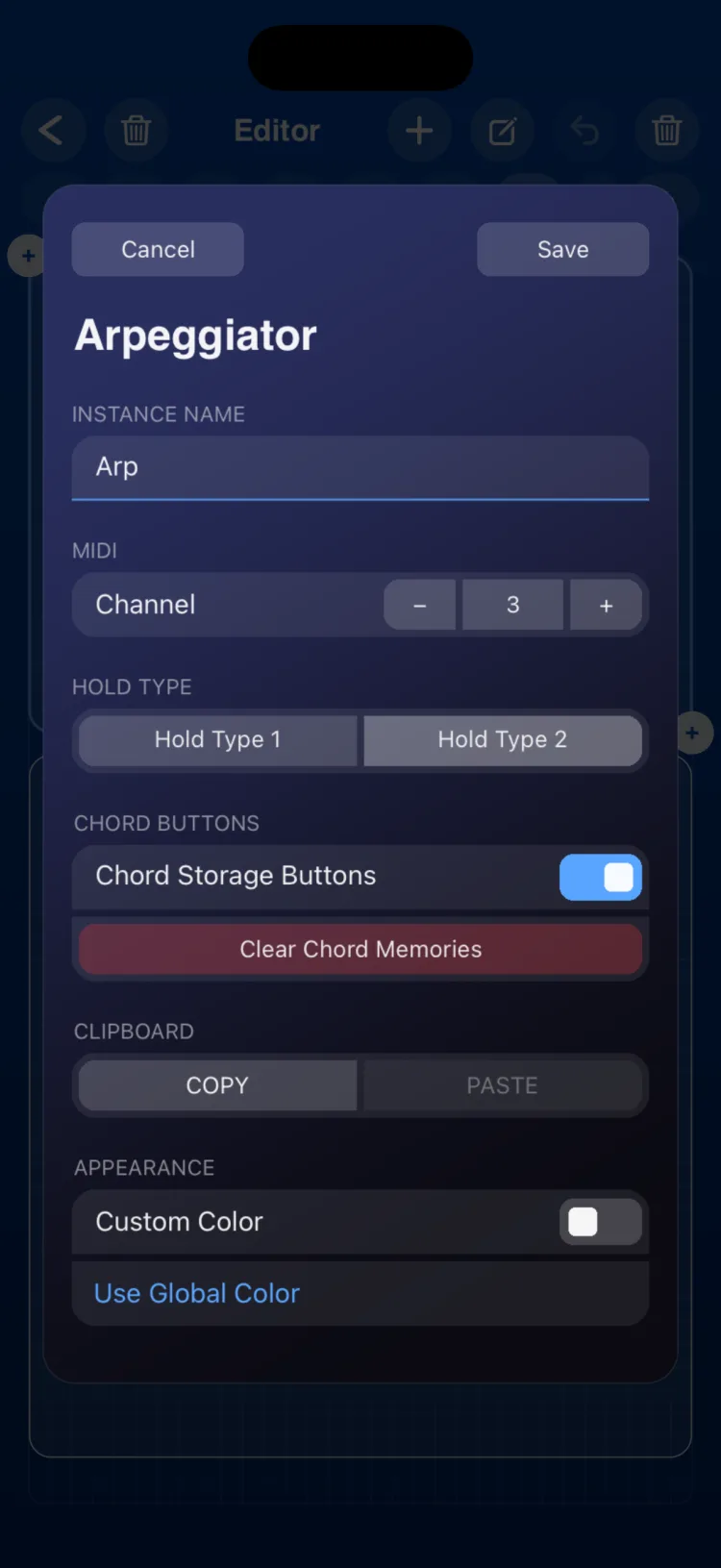
Inspector options
| Section | Option | Values |
|---|---|---|
| INSTANCE NAME | Text | module name |
| MIDI | Channel | 1 to 16 |
| Hold Type | Type 1 / Type 2 | See below |
| Chord buttons | Chord Storage Buttons | Shows or hides the 8 buttons |
| Chord buttons | Clear Chord Memories | Clears all 8 memories (asks for confirmation) |
| CLIPBOARD | COPY / PASTE | |
| APPEARANCE | Use Global Color / Custom Color |
The two Hold types work like this:
- Type 1: playing a held note again removes it from the chord. The first note you play after releasing everything starts a new chord.
- Type 2: playing the root note (the first one you played) again clears the whole chord; playing any other note removes just that note.
Presets
Presets opens the Arpeggiator preset library, with factory presets and your own. See Presets.
Limitations
- Lanes always follow the notes from low to high: the Up, Down or UpDown direction is drawn in each preset’s pattern. There’s no tempo of its own: with Sync off it also uses the global tempo.
- 1/64 is approximated to 2 clock pulses, so it sounds the same as 1/32T.
- On iPhone and iPad, the module measures (in cells, minimum / initial / maximum): iPhone 16×10 / 16×11 / 16×20; iPad 9×8 / 12×9 / 32×18.