
Drum Player
The Drum Player is a step drum machine that sends MIDI notes to your drum instrument. It has up to 12 instruments, each with its own MIDI note, 8 patterns and per-step velocity, all in sync with the global clock.
Use it to program and play grooves live, switch patterns per section and back up the Arpeggiator or the Drone Pad without another device.
Getting started
- In the Editor, add Drum Player from the MIDI section of the palette.
- The module starts on channel 10 with 6 instruments: Kick (36), Snare (38), Hi-Hat (42), Clap (39), Tom (45) and Ride (51).
- Switch to Perform, turn on a few steps and tap Play.
Playing in Perform
- Tap steps on the grid to turn them on or off. Drag your finger to paint several steps in a row.
- Play / Stop starts or stops the pattern.
- Patterns 1 to 8: tap one to switch patterns. Touch and hold one (about 0.7 s) to copy the current pattern into that slot.
- Each row has S (solo) and M (mute) for its instrument.
- Tap an instrument's name to enter focus mode and edit its per-step velocity with bars from 1 to 127.
- Touch and hold an instrument's name to rename it.
- With more than 16 steps, the bottom bar splits the grid into pages; ALL shows every step.
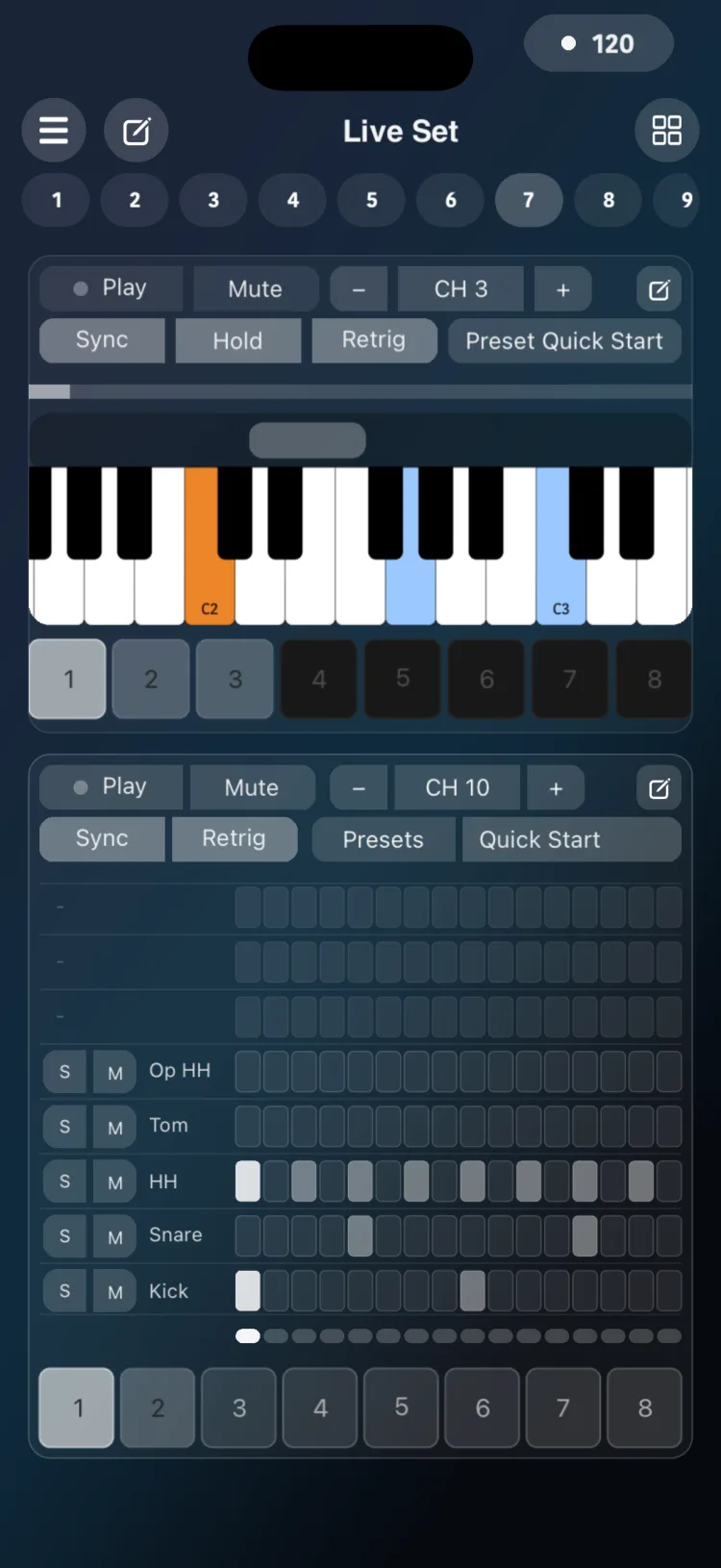
The header in Perform
| Control | What it does |
|---|---|
| Play / Stop | Starts or stops the pattern |
| Mute | Silences the whole module |
| CH | MIDI channel |
| Sync | Follows the global transport |
| Retrig | Sets whether the pattern returns to the start when it begins |
| Preset name and Presets | Shows the active preset and opens the library |
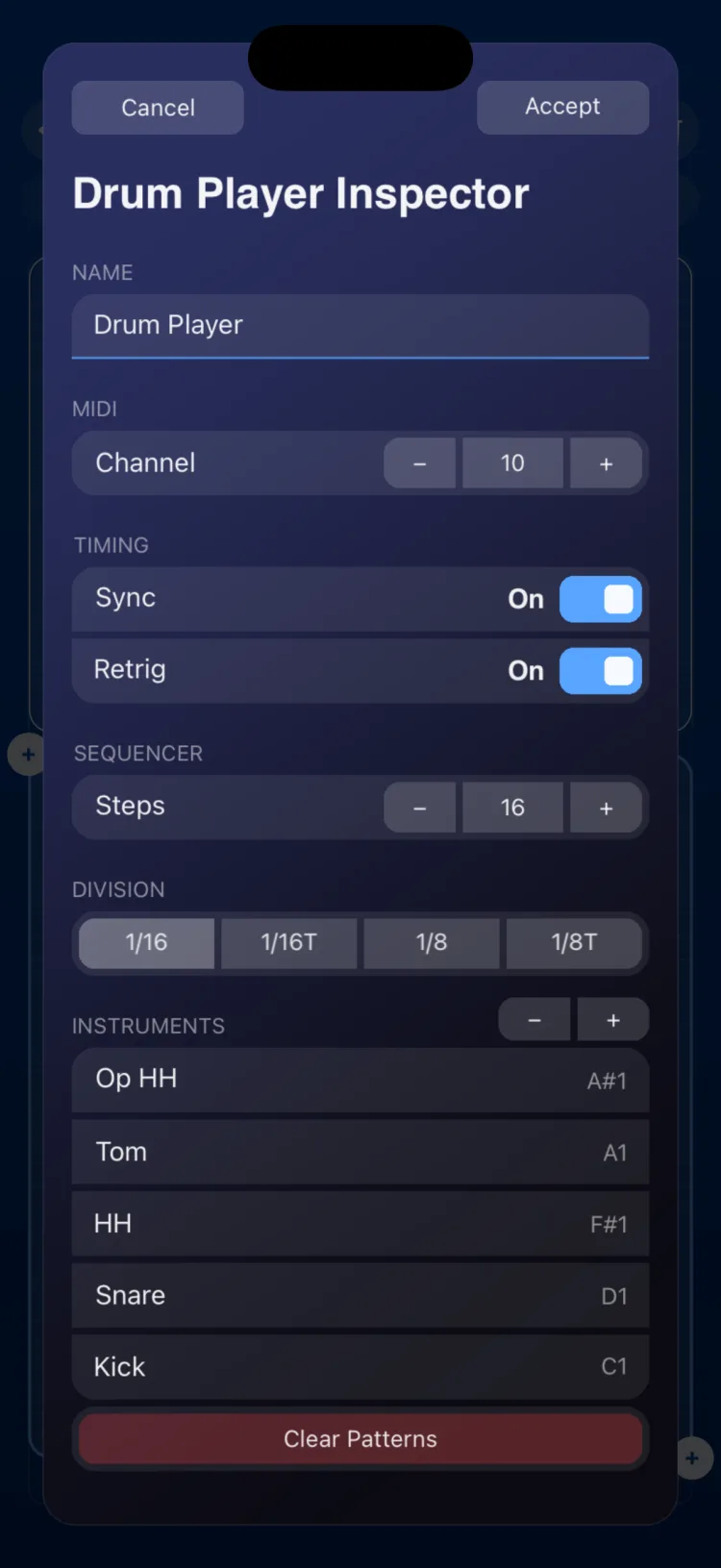
Inspector options
| Section | Option | Values |
|---|---|---|
| Name | Internal Name | text |
| MIDI | Channel | 1 to 16 (default 10) |
| Timing | Sync | On / Off. Follows the global transport; Start and Stop from an external MIDI Clock restart or stop it |
| Timing | Retrig | On / Off |
| Sequencer | Steps | with 1/16 and 1/8: 4, 8, 16, 24, 32, 48, 64; with 1/16T and 1/8T: 4, 8, 12, 16, 24, 32, 48. Tap the number to type another value, from 1 to 64 (1 to 48 in triplets) |
| Sequencer | Division | 1/16, 1/16T, 1/8, 1/8T |
| Instruments | List | − / + adds or removes instruments (up to 12; removing asks for confirmation). Each has a name and a MIDI note from 0 to 127 |
| Clear Patterns | Action | Clears all 8 patterns (asks for confirmation) |
| CLIPBOARD | COPY / PASTE | |
| APPEARANCE | Use Global Color / Custom Color |
Presets
Presets opens the Drum Player preset library. See Presets.
Limitations
- 12 instruments, 8 patterns and up to 64 steps (48 with triplets).
- All patterns share the same number of steps and the same division.
- There is no swing or per-step probability.
- On iPhone and iPad, the module measures (in cells, minimum / initial / maximum): iPhone 16×15 / 16×16 / 16×20; iPad 9×12 / 12×12 / 24×14.