
Pad
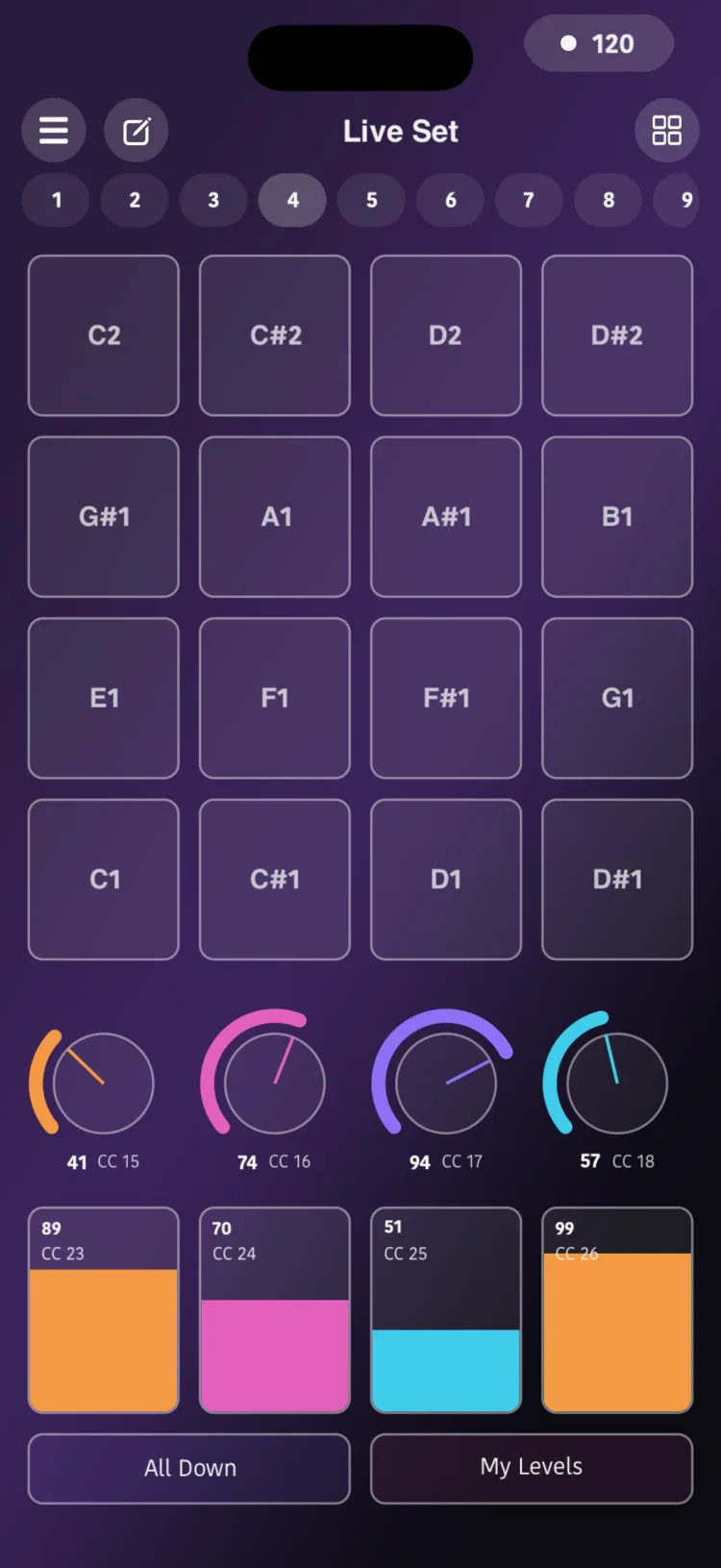
The Pad is a button that triggers a MIDI note or a chord of up to 12 notes. It can sound while you hold it or stay on, it can take its velocity from how high you touch it, and it can send pitch bend or CC when you slide your finger. It works in MIDI mode only.
What it's for
- Drums and percussion.
- One-touch chords.
- Key switches for orchestral libraries.
- Triggering clips or effects.
- Expressive bends without letting go of the note.
The factory Drum Pads and Drum Pads Velocity pages come with a General MIDI kit ready to use. Read more in Presets.
Adding a pad
- Open the Editor.
- In the palette, choose Pad in the MIDI section. The pad gets the next free note on the channel, starting at note 24.
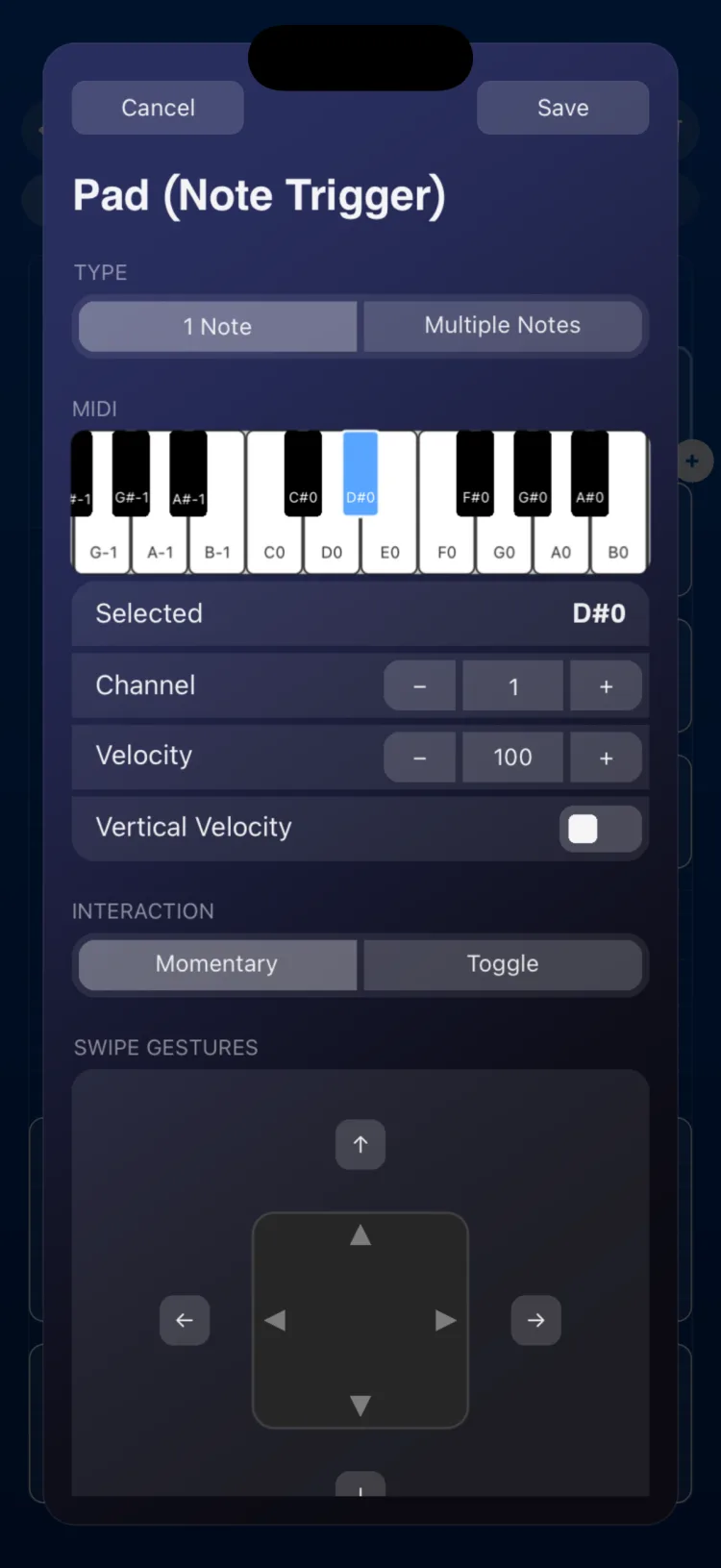
- Double-tap the pad to open the inspector.
- In Type, choose 1 Note or Multiple Notes.
- Select the notes on the mini keyboard. To start over, tap Clear Selected Notes.
- Tap Save.
Playing it in Perform
Tap the pad. What happens depends on Interaction:
- Momentary: it sounds while you hold it down.
- Toggle: one tap turns it on, another turns it off.
Velocity by height
With Vertical Velocity turned on, velocity depends on how high you touch the pad: the bottom sends the MIN value and the top sends the MAX value. With Area you choose how much of the pad's height responds (80%, 90% or 100%, centered).
Swipe gestures
If you've set up gestures, hold the pad and slide your finger more than 10 points up, down, left or right:
- The value travels from From to To according to how far you slide.
- When you let go, it returns to From.
Each direction can send pitch bend or a CC, or do nothing.
Inspector options
| Section | Option | Values |
|---|---|---|
| Type | 1 Note / Multiple Notes | Multiple: up to 12 different notes |
| Label | Text | |
| MIDI | Note or notes | 0–127, picked on a mini keyboard |
| MIDI | Channel | 1–16 |
| MIDI | Velocity | 0–127 (default 100) |
| Vertical Velocity | Turn on | Off by default |
| Vertical Velocity | Range MIN / MAX | 0–127 (bottom = MIN, top = MAX) |
| Vertical Velocity | Area | 80%, 90% or 100% of the pad's height |
| Interaction | Momentary / Toggle | |
| SWIPE GESTURES | Swipe up, down, left and right | None, Pitch or CC |
| CLIPBOARD | COPY / PASTE | |
| APPEARANCE | Use Global Color / Custom Color |
Options for each gesture
| Gesture type | Option | Values |
|---|---|---|
| Pitch | Pitch From / Pitch To | −1.00 to +1.00 of the bend range |
| CC | CC # | 0–127 |
| CC | CC From / CC To | 0–127 |
For Pitch gestures, how many semitones the full range equals is set by the instrument receiving the message, just like with the Pitch Bend.
Limits
- MIDI only: it has no OSC or Macro mode.
- A pad in Toggle mode can be the target of a Toggle in Macro mode; in Momentary mode it can't.
- It can't be the target of a State or an LFO.
- With Vertical Velocity turned on, the fixed velocity is ignored.
Grid size on iPhone and iPad
In cells (width × height):
| Device | Minimum | When created | Maximum |
|---|---|---|---|
| iPhone | 3×3 | 4×4 | 16×14 |
| iPad | 2×3 | 3×4 | 12×18 |