
Pitch Bend
The Pitch Bend is a spring-loaded touch wheel: when you let go, it returns to the center on its own, like the wheel on a keyboard. It sends 14-bit MIDI Pitch Bend messages (from 0 to 16383, with the center at 8192). It works in MIDI mode only.
What it's for
Adding a Pitch Bend
- Open the Editor.
- In the palette, choose Pitch in the MIDI section.
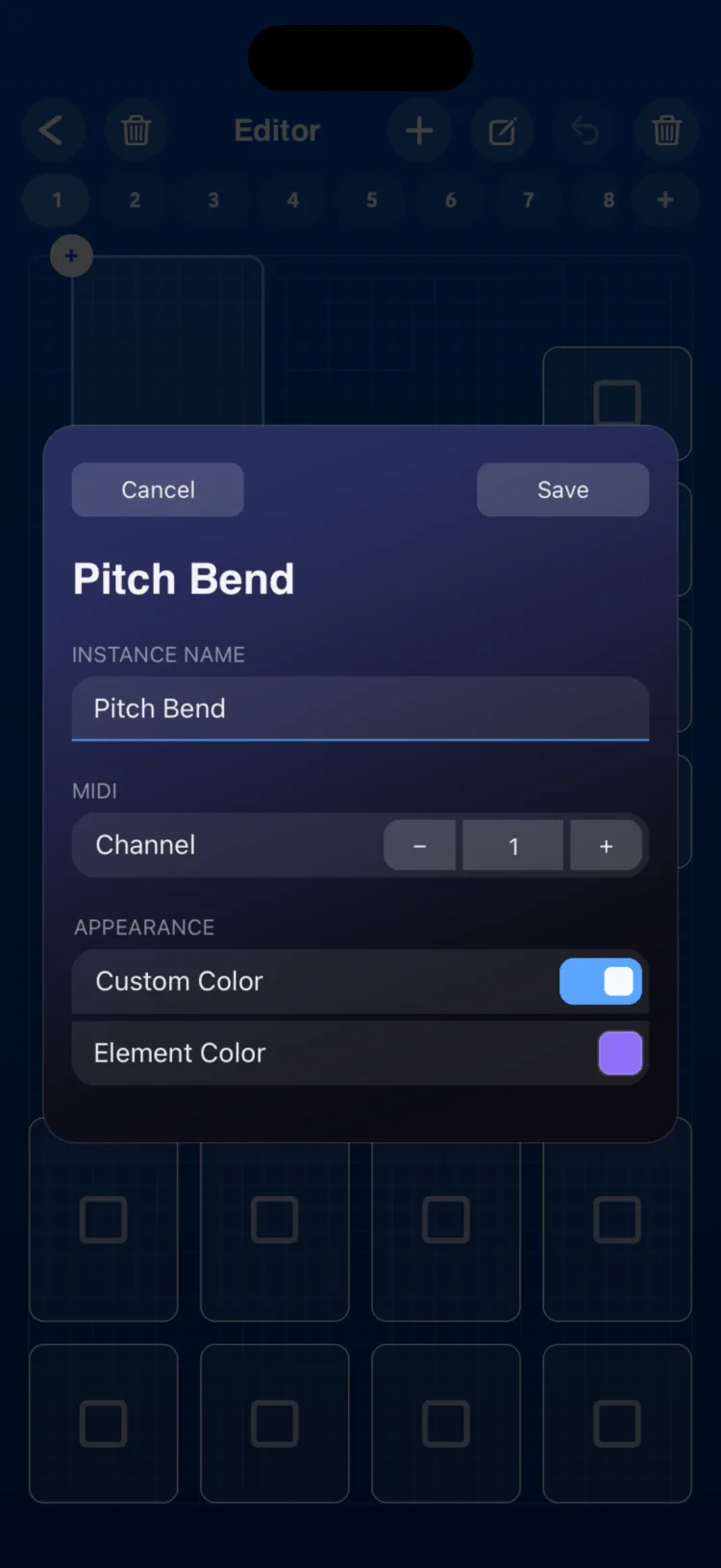
- Double-tap the control to open the inspector, choose the channel and tap Save.
Using it in Perform
- Drag up to raise the pitch or down to lower it.
- Let go: the wheel snaps back to the center quickly, in about 85 milliseconds, like a metal spring.
Use the same channel as the instrument you're playing so the bend reaches it.
Inspector options
| Section | Option | Values |
|---|---|---|
| INSTANCE NAME | Text | |
| MIDI | Channel | 1–16 |
| APPEARANCE | Use Global Color / Custom Color |
Limits
- MIDI only: it has no OSC or Macro mode, and it can't be the target of macros, a State or an LFO.
- How many semitones it bends is set by the instrument receiving the message, not by RigAstra. Adjust the pitch bend range on your synth.
- If you want bends without letting go of a note, Pads can also send pitch bend when you slide your finger.
Grid size on iPhone and iPad
In cells (width × height):
| Device | Minimum | When created | Maximum |
|---|---|---|---|
| iPhone | 2×4 | 3×7 | 8×20 |
| iPad | 1×4 | 2×5 | 12×24 |