
Fader
The Fader is a continuous slider, vertical or horizontal. It works in MIDI, MACRO or OSC mode, so it can send a CC, move several controls at once or send values over the network.
What it's for
- Volumes, sends and filters.
- Expression (CC 11), modulation (CC 1) or any other continuous parameter.
- In Macro mode, a single fader moves several parameters at the same time.
Adding a fader
- Open the Editor.
- In the palette, choose Fader or Horizontal Fader in the MIDI, MACRO or OSC section. This is where you pick the orientation.
- Double-tap the fader to open the inspector.
- Set it up and tap Save.
In MIDI mode, the fader automatically gets the next free CC when you create it.
Using it in Perform
In Perform, drag the fader. How it responds depends on BEHAVIOR:
- Pickup: the value moves relative to where it is; it doesn't jump to the point you touch.
- Jump: the value goes straight to the point you touch.

Inspector options
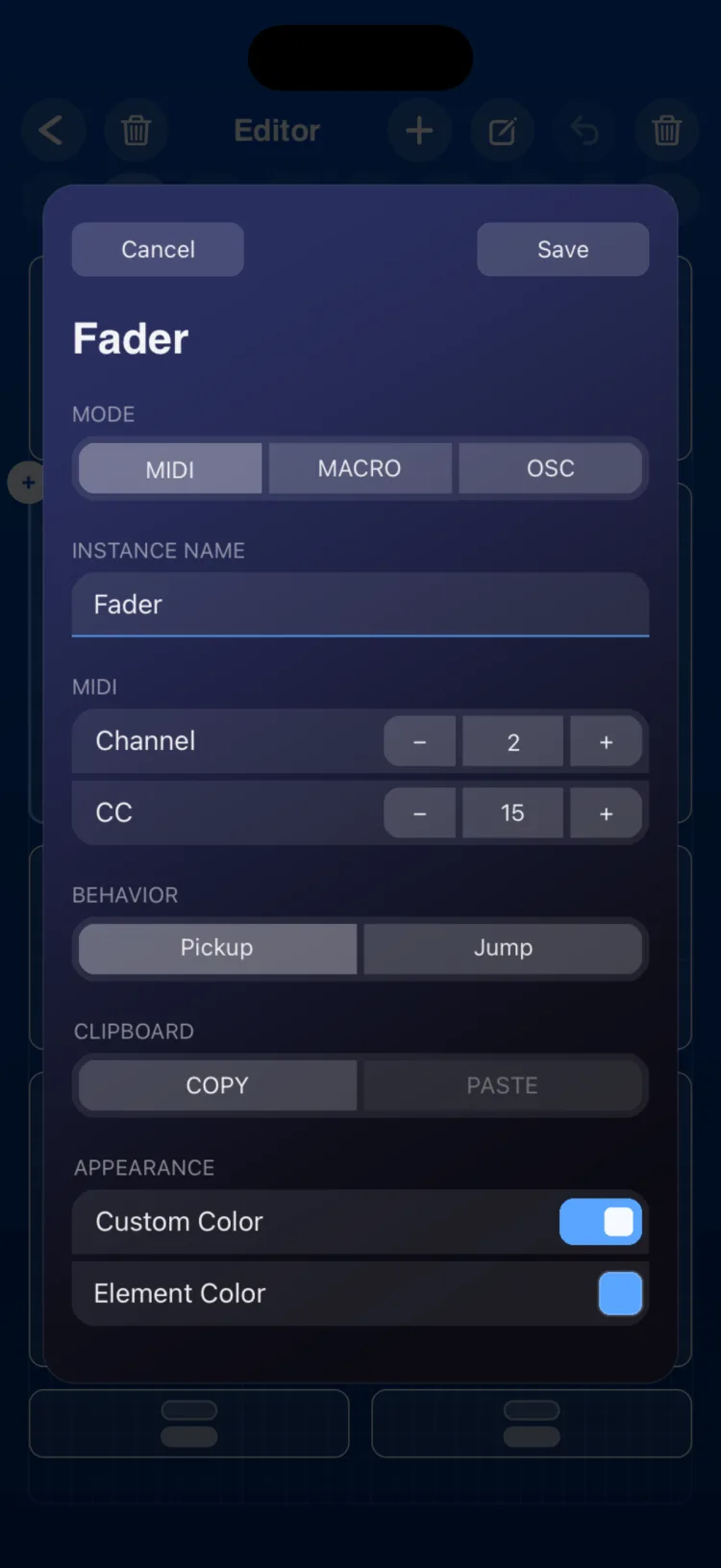
The MIDI, OSC and MACRO sections appear depending on the mode you choose.
| Section | Option | Values |
|---|---|---|
| MODE | MIDI · MACRO · OSC | |
| INSTANCE NAME | Text | Up to 48 characters |
| MIDI | Channel | 1–16 |
| MIDI | CC | 0–127 |
| BEHAVIOR | Pickup / Jump | |
| CLIPBOARD | COPY / PASTE | Copies the settings to another Fader |
| OSC | Output, Path, Custom Path | See MIDI and OSC connections |
| OSC | Value Type | INT / FLOAT |
| OSC | Min / Max | Any number; the minimum must be lower than the maximum (defaults 0 and 1) |
| OSC | Send rate | 30 / 45 / 60 Hz (default 60) |
| MACRO | Targets with From / To | See below |
| APPEARANCE | Use Global Color / Custom Color |
Macro mode
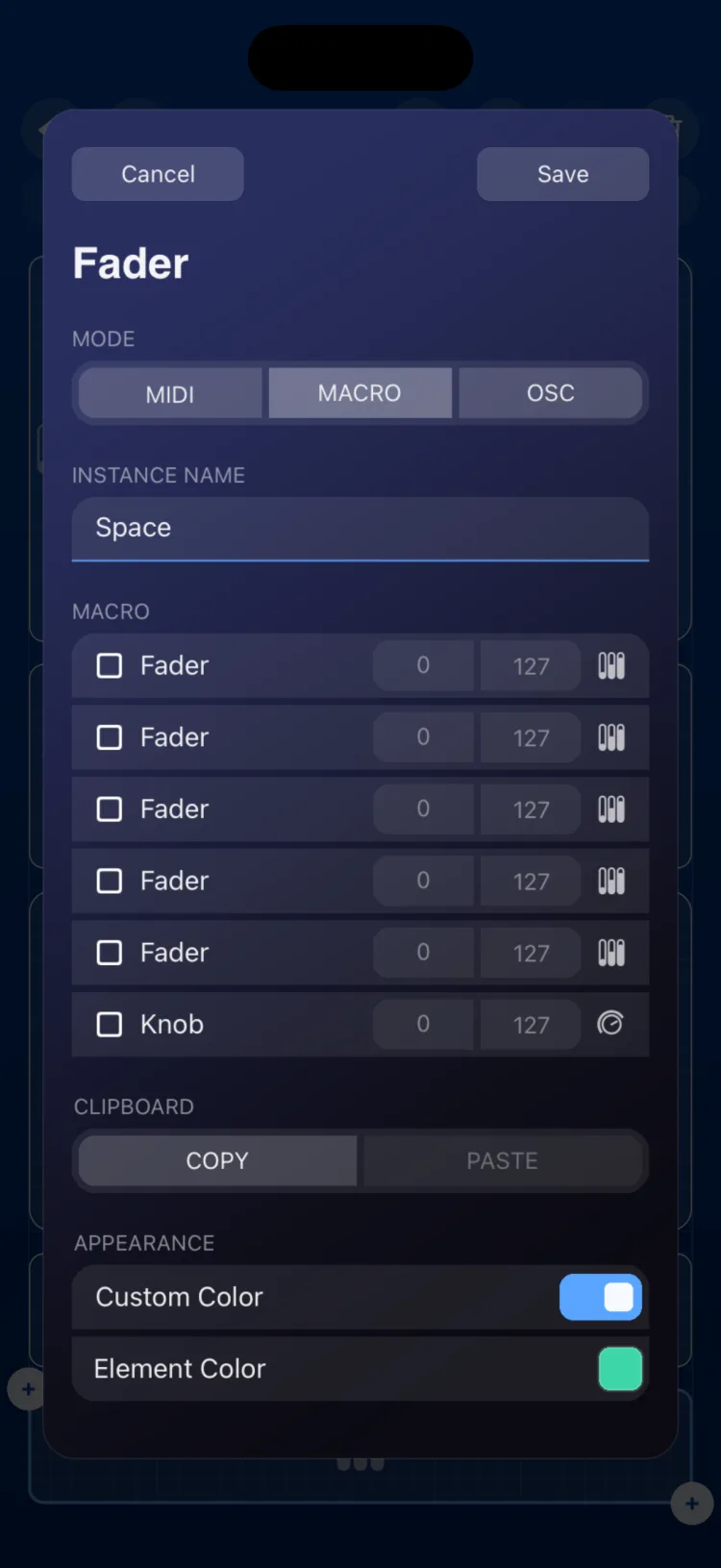
In Macro mode, the fader doesn't send anything by itself: it moves other controls. For each target you set a From value and a To value, and the fader sweeps across that span.
- Possible targets: Faders and Knobs that aren't in Macro mode, and the XY Pad (each axis separately).
- The range is 0–127 for MIDI targets, or the target's own OSC range.
Step by step, including live assignment, in Fader, Knob and Toggle in Macro mode. More on the three modes in MIDI, MACRO and OSC modes. A fader can also be a target of a State or an LFO.
Limits
- In MIDI it sends 7-bit CCs. The inspector doesn't offer NRPN, curves or a bipolar mode.
- You can't switch from vertical to horizontal after creating it; add a new one with the other orientation.
- A Fader in Macro mode can't be the target of another macro, but it can be the target of a State or an LFO.
Grid size on iPhone and iPad
In cells (width × height):
| Type | Minimum | When created | Maximum |
|---|---|---|---|
| Vertical, iPhone | 2×4 | 3×7 | 8×20 |
| Vertical, iPad | 1×4 | 2×5 | 12×24 |
| Horizontal, iPhone | 5×2 | 8×3 | 16×9 |
| Horizontal, iPad | 3×2 | 6×2 | 24×12 |