
Your Songs
Besides the 5 included songs, you can import your own audio files and play the drums over them.
Importing a song
- Open the track bar and tap the song name to open the song list (see Playing Along with Songs).
- At the top of the list, tap LOAD SONG.
- The iOS file picker opens. Find your audio file in the Files app, iCloud Drive or any other location it shows.
- Tap the file.
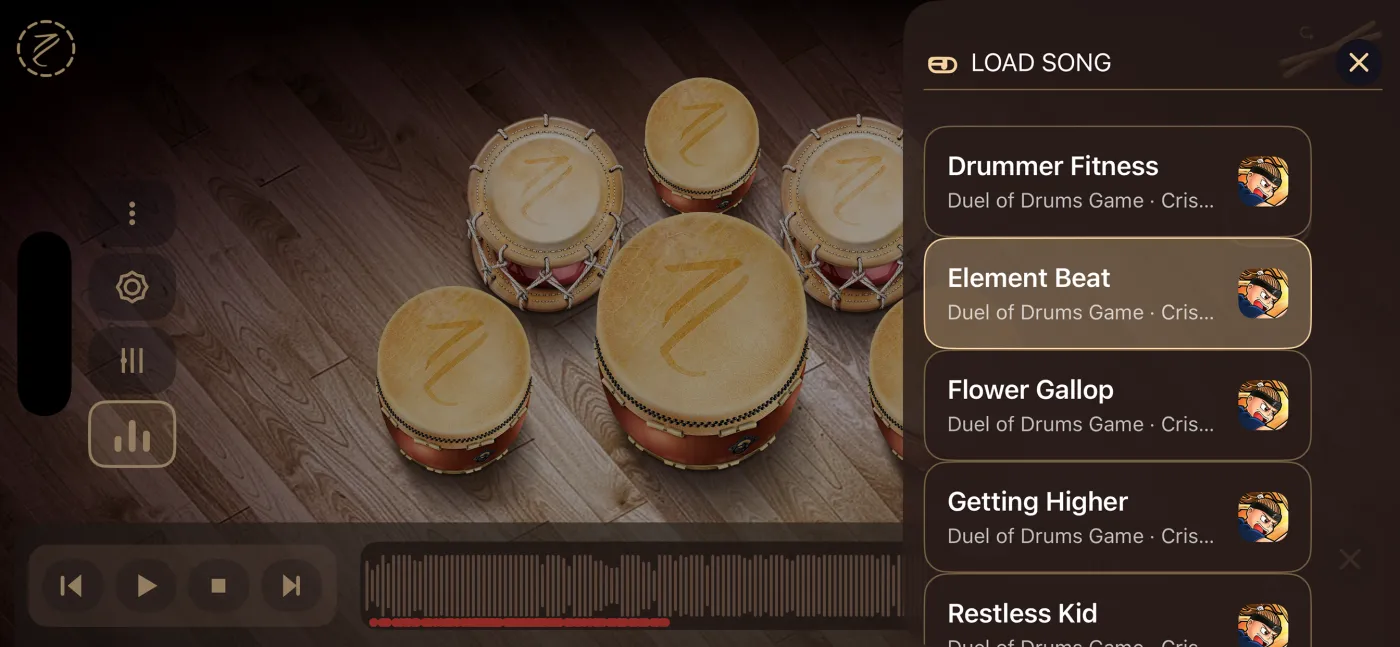
When the import finishes:
- The new song becomes the current song.
- The song list closes.
- If the track bar was closed, it opens.
- If a song was playing, the imported one starts playing right away.
You can import one file at a time.
Which files you can import
The picker shows audio files only. You can use the usual formats that iOS plays, such as MP3, M4A (AAC), WAV or AIFF.
Taiko Drums keeps its own copy of the file. Your original file isn't moved or changed, and the song keeps working even if you later delete or move the original.
If the file can't be imported, you'll see the message Import Failed.
Where your songs appear
Imported songs appear in the song list below the 5 included songs, sorted alphabetically by name.
- Title: the file name, without the extension. For example,
My Song.mp3appears as My Song. - Subtitle: Imported File.
- Instead of the Duel of Drums artwork, they show a folder icon.
If you import two files with the same name, both are kept and both appear with that name.
Imported songs work just like the included ones: transport, waveform, recording and exporting.
Deleting an imported song
- Open the song list.
- Swipe left on the song you want to delete.
- Tap Delete. You can also swipe all the way to the left to do it in one move.
- Confirm in the Delete imported song? dialog by tapping Delete, or tap Cancel to keep it.
Keep in mind:
- Deleting a song also deletes all its recordings. The dialog warns you: "This will remove the song and all associated recordings." This can't be undone.
- If the song you delete was the current one, it stops and the first song in the list is selected.
- The 5 included songs can't be deleted. Swiping on them does nothing.