
Introduction
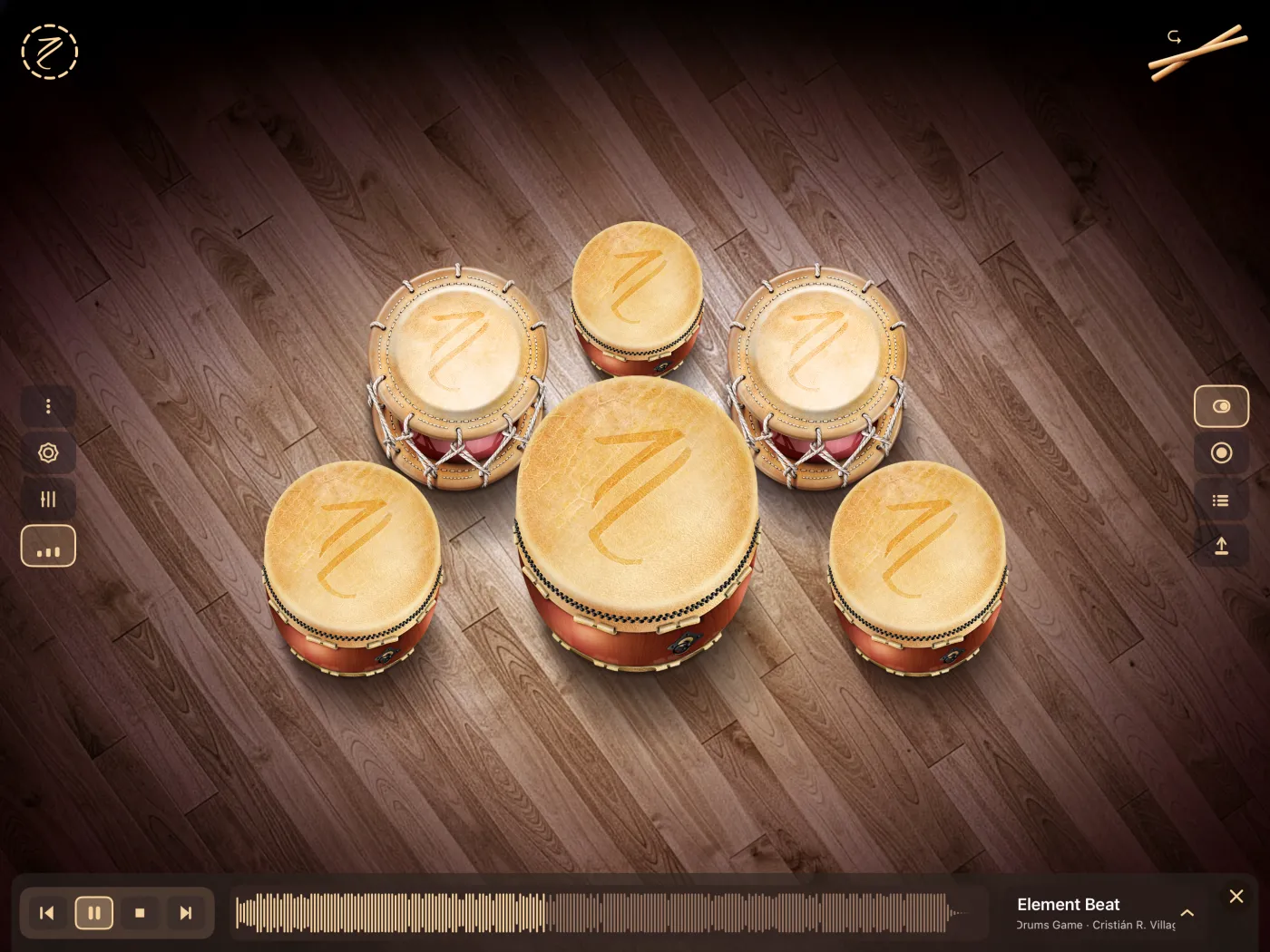
Taiko Drums is an app for playing Japanese taiko drums on your iPhone or iPad. You tap the drums on the screen and they sound right away. The idea is simple: open it, play, and have fun.
The app works in landscape only, on iPhone and iPad.
What you can do
- Play the drums. Tap the head of each drum to hit it. You can hit several drums at the same time. See Getting started.
- Choose between 3 layouts. A set of 8 miya-daiko barrel drums, a set of 3 shime-daiko rope drums, or a mix of both. See Drums and layouts.
- Switch to flam. One button changes every drum from a simple hit to a flam, a hit with two sticks. See Flam.
- Play along with songs. The app includes 5 songs from the game Duel of Drums, with playback controls and the song's waveform. See Play along.
- Use your own songs. Load your own audio files and play over them. See Your own songs.
- Balance the volume. The mixer has one fader for the drums and one for the song. See Mixer.
- Record what you play. Record your drums over a song and keep several versions of each take. See Record and Takes and versions.
- Export as audio. Save a take as a WAV file: the full mix (song and drums) or the drums only. Save it to Files or share it with other apps. See Export.
- Send MIDI. Use the drums as a MIDI controller for a synth, a DAW or a virtual instrument. Each layout has its own note map, and you can change it. See MIDI output and MIDI notes.
Languages
The app is available in 7 languages: English, Spanish, French, Japanese, Korean, Portuguese (Brazil) and Simplified Chinese. See Tour and About.
First time
The first time you open the app, a guided tour shows you each button on the screen. You can see it again anytime from the About screen. See Tour and About.
If something doesn't work as expected, see Troubleshooting.