

See the music you play
New · Version 1.3
Medussa is a MIDI piano visualizer for Mac. It turns your playing into light: practice a piece bar by bar, record and edit your take, and export it as a video up to 4K.
What’s new in Medussa 1.3
Version 1.3 puts timing first. Playback, the metronome and the audio track now run on one timeline, practice plans keep themselves, the audio follows your tempo and every control responds the moment you touch it.
Timing you can trust
Playback, the click and the audio track share one timeline, so the click lands on the grid. Recording over playback puts your notes where you heard them, and the metronome holds steady through dense chords.
Practice that keeps your work
Practice plans save as you edit them, in the project or in your library for every project. While a practice panel is open, Space and the transport run the practice from any view.
Audio that follows the tempo
Slow a piece down with Tempo Offset or a practice block and the audio track follows without changing pitch, now with cleaner sound. Build a tempo map over a recording and the click follows it.
Everything responds instantly
Every slider responds as you drag: particles, glow and colors change live, and volume and tempo follow the mouse without lag. Transp and BPM take a single click to edit.
All improvements
Timing
- The metronome stays steady while you play dense chords in Free Practice, Structured Practice and every count-in.
- Playback, the click and the audio track share one timeline. Build a tempo map over an audio track and the click follows its hits.
- With Tempo Offset or a practice block at another tempo, the audio track speeds up or slows down without changing its pitch, and sounds cleaner doing it.
- Tempo Offset works with just an audio track, no MIDI needed.
Practice
- Practice plans save automatically as you edit them and reopen where you left off.
- Choose where each plan is saved: in this project, or in Medussa so it appears in all your projects.
- While a practice panel is open, Space and the transport control the practice in every view.
Editor and chords
- Dragging tempo points, notes, velocity and controllers is smoother on large projects.
- Live chord names appear about 40% sooner after you play.
Interface
- Every slider responds instantly, in Settings, the toolbar and the mixer.
- Transp and BPM can be edited with a single click.
- With Tempo Offset on, the BPM is shown in its own color.
- Option+Space pauses where you are and continues from there; Space still stops and returns to where you started.
Help
- Falling speed is easier to find: Settings shows it as “Falling Speed (Waterfall Zoom)” with − and + buttons, and the View menu names it.
- The manual now covers duplicating notes with Option-drag, tempo lane gestures, editor zoom, the transport while you practice and making the click follow an audio track.
Fixes
- Recording over playback places your notes where you heard them.
- Playback follows the output device selected in Settings.
- Render Chords places each chord exactly where it starts, no longer slightly late.
- Live chord names no longer flicker on arpeggios.
- Record and Play in the Visualizer start at the bar you chose, without the playhead jumping.
- The playhead moves as one line across every lane, including the audio track.
- Coming back to Medussa by clicking the floating practice card, Space works right away.
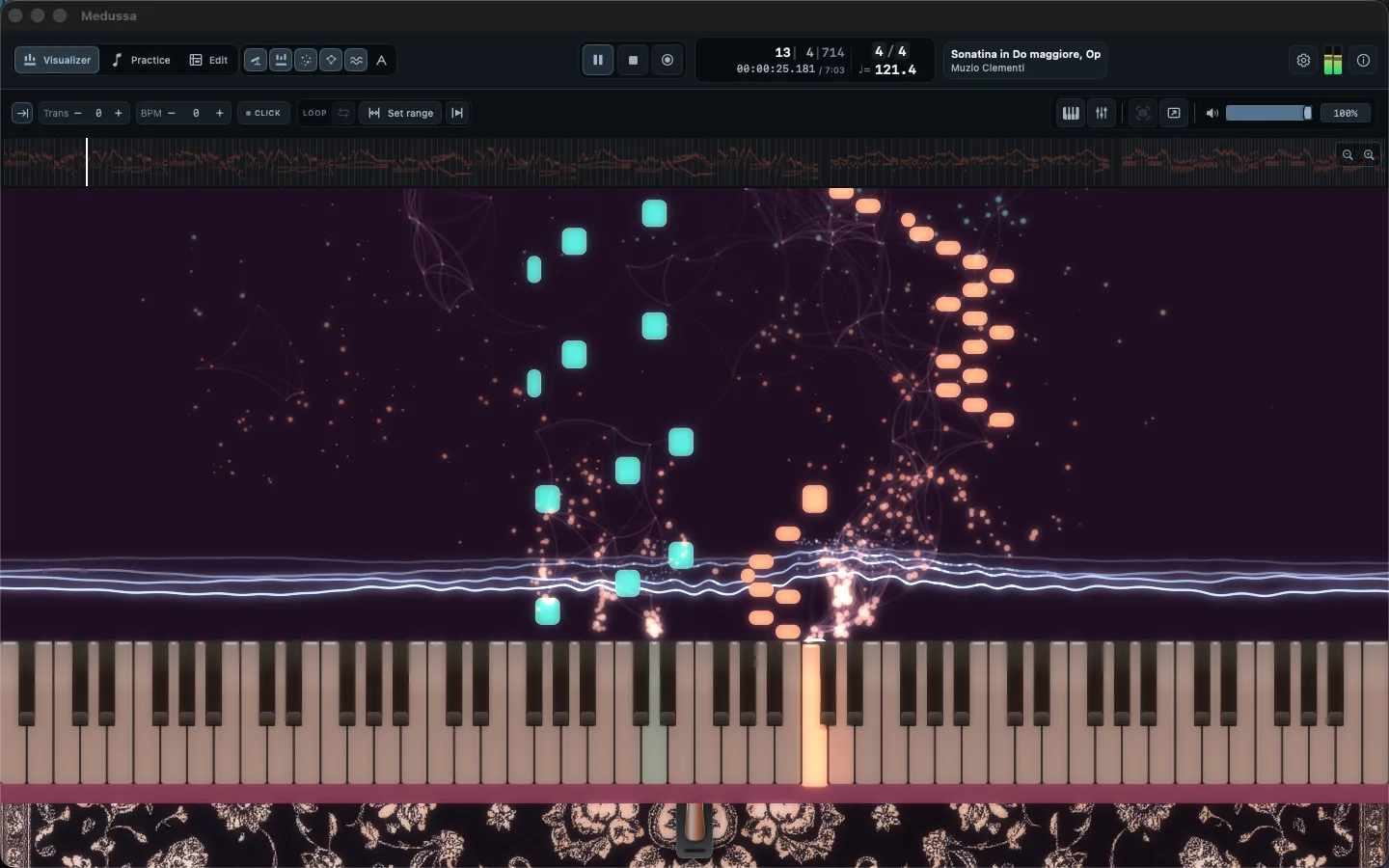
A MIDI piano visualizer: every note, in light
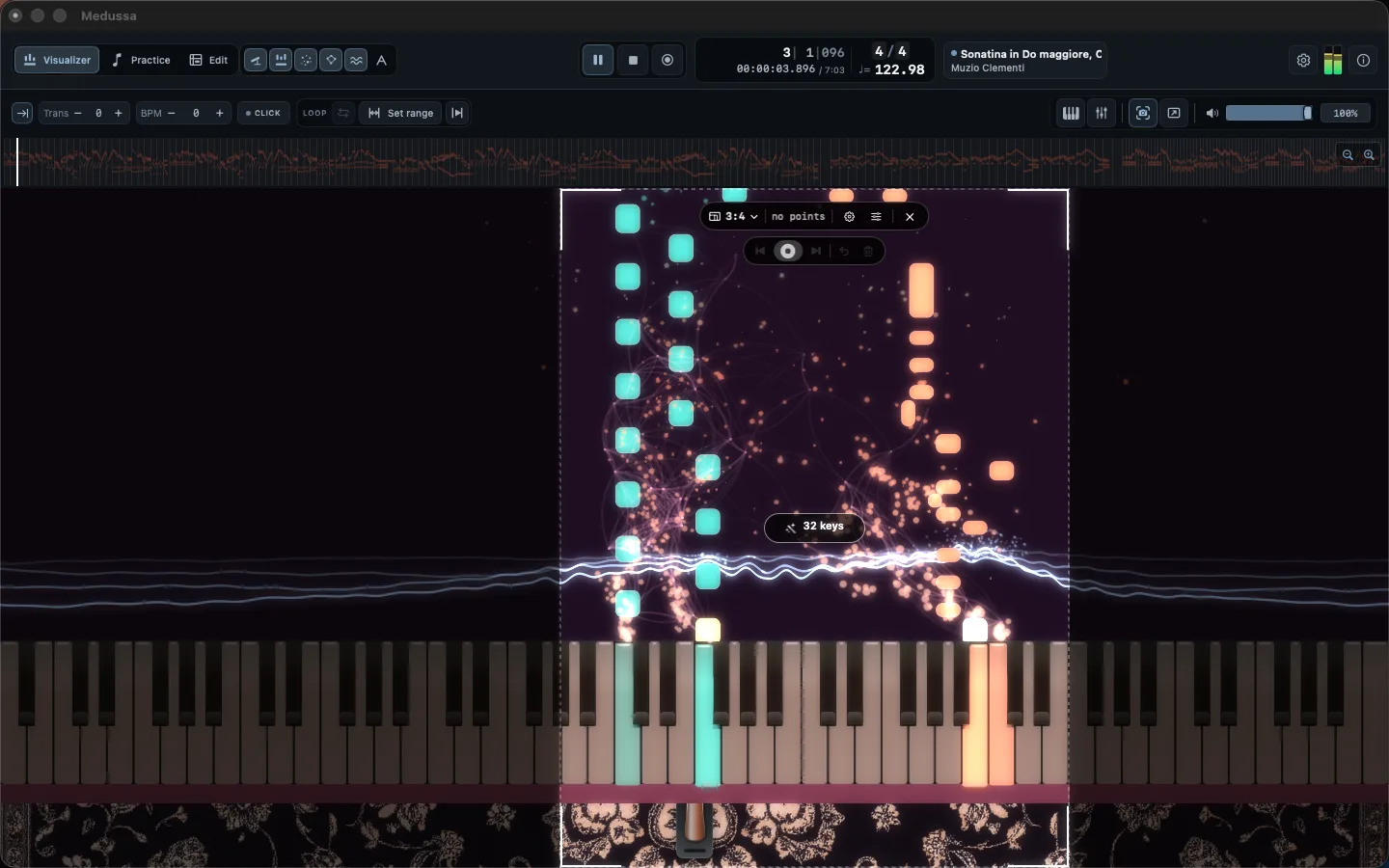
Play live from your piano or open any MIDI file. Notes fall onto an 88-key piano keyboard and open into particles, curves and water waves, with the left and right hand each in their own color. Start from one of twelve appearance profiles, save your own presets, and put an image or a video behind it all.
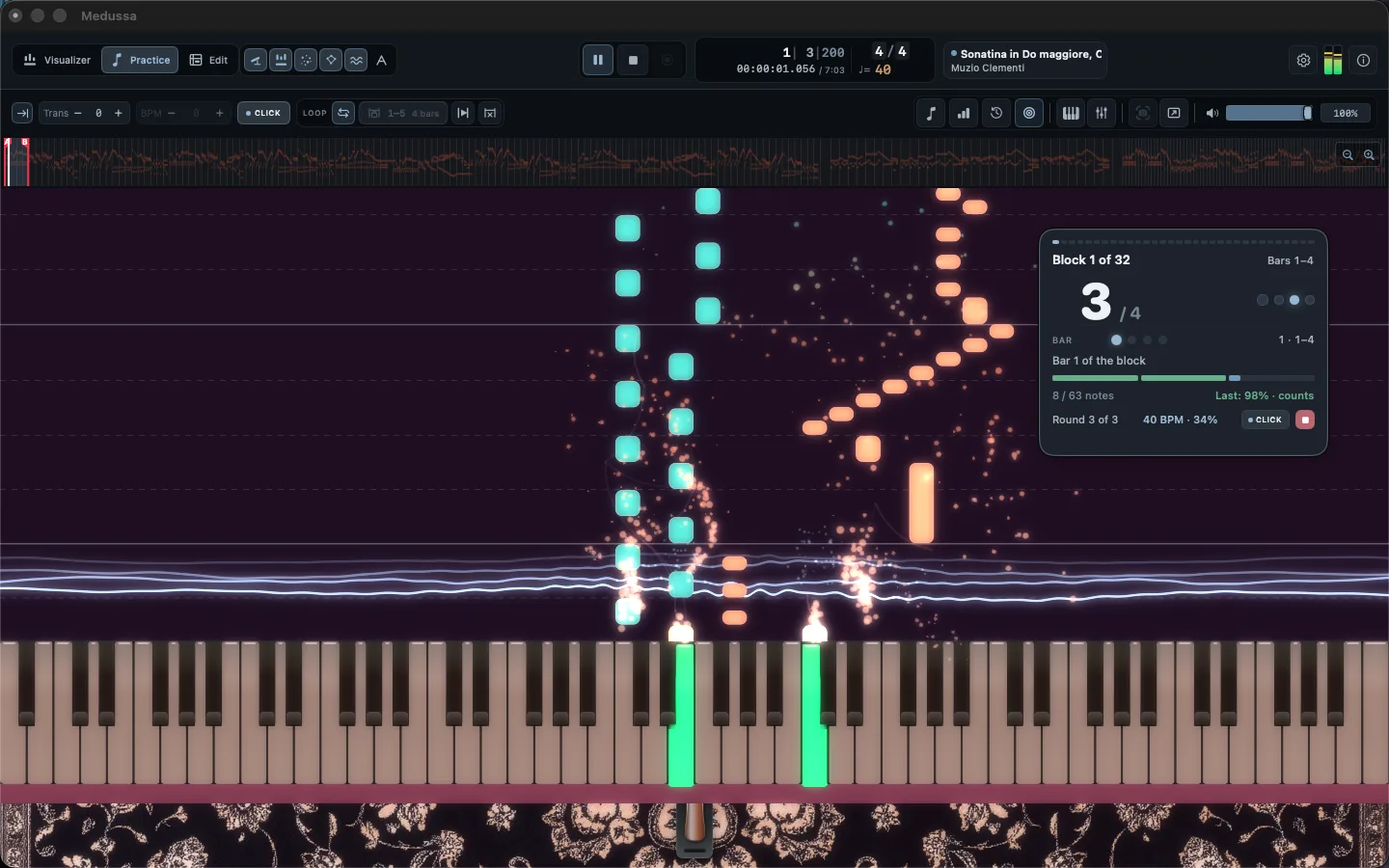
Piano practice, bar by bar
Guided training splits a piece into blocks, each with its own tempo and number of repetitions. Medussa listens as you play, shows how many notes you hit and can move on only when you have earned it. For technique, metronome blocks raise the tempo step by step. Your plans save on their own, and every session is kept in your practice history.
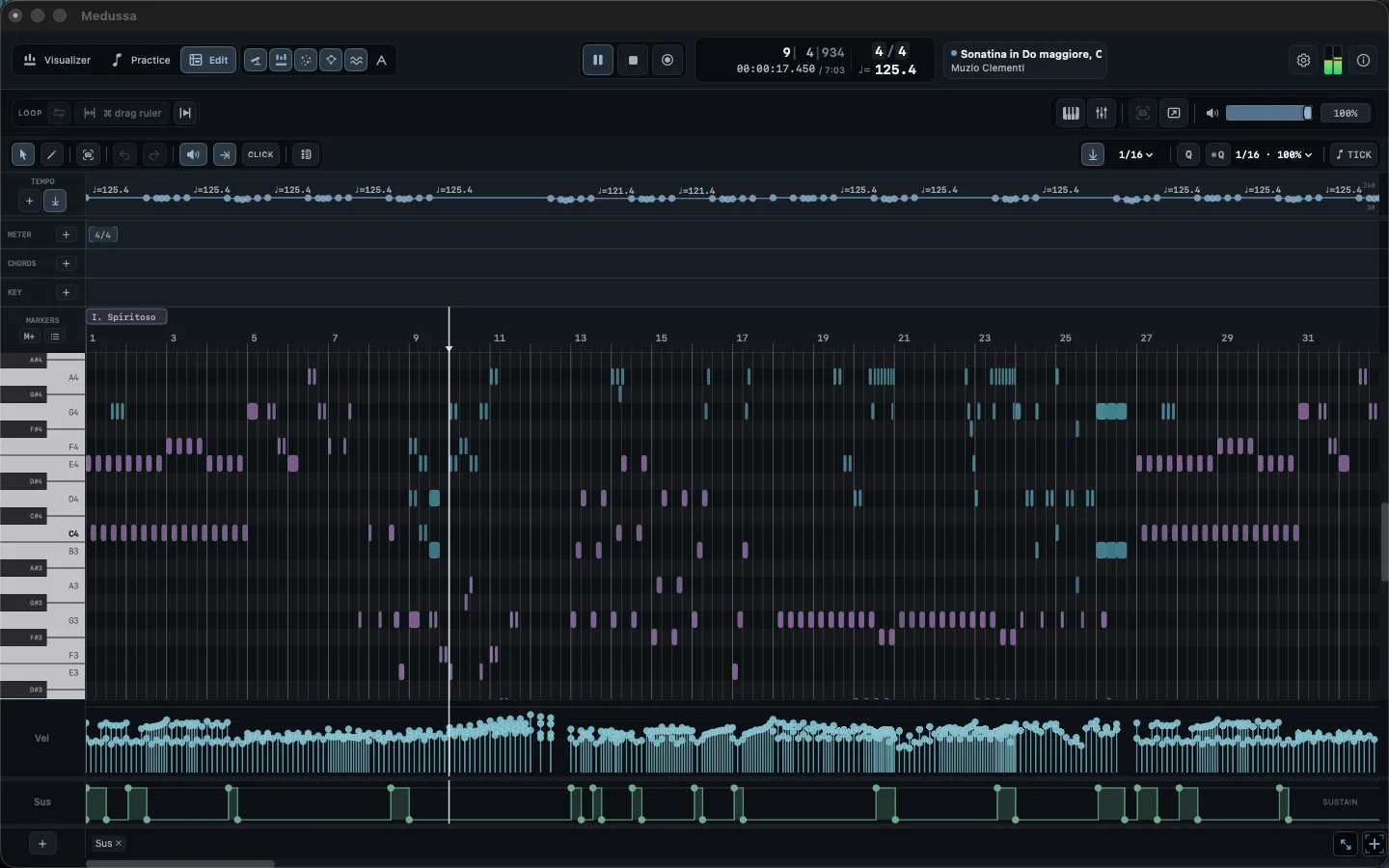
Record MIDI, then edit it in a piano roll
Record straight from your piano, even lap after lap of a loop, and shape the take in a full piano roll: notes, hands, velocity, pedal and any MIDI control. Quantize with swing and groove only where you want the grid, build the tempo map after playing freely, and make the click follow a reference audio track that speeds up or slows down with you without changing pitch.

From notes to chord chart
See the name of each chord as it sounds, generate a first harmony from the notes and turn it into a clean chord chart or lead sheet. Transpose it, keep it in your library and export it as a PDF, ready to print or send to the band.
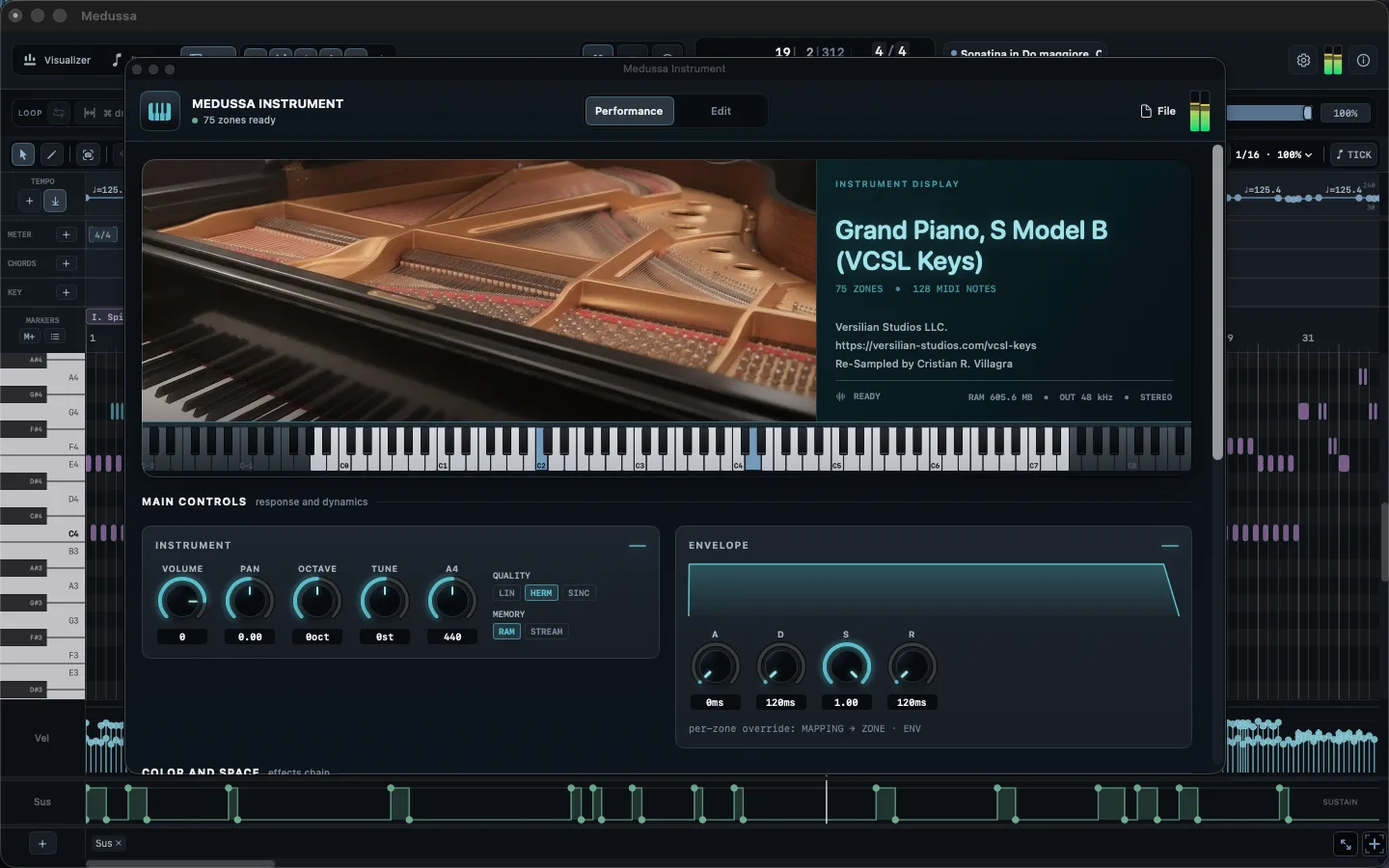
A grand piano sampler, built in
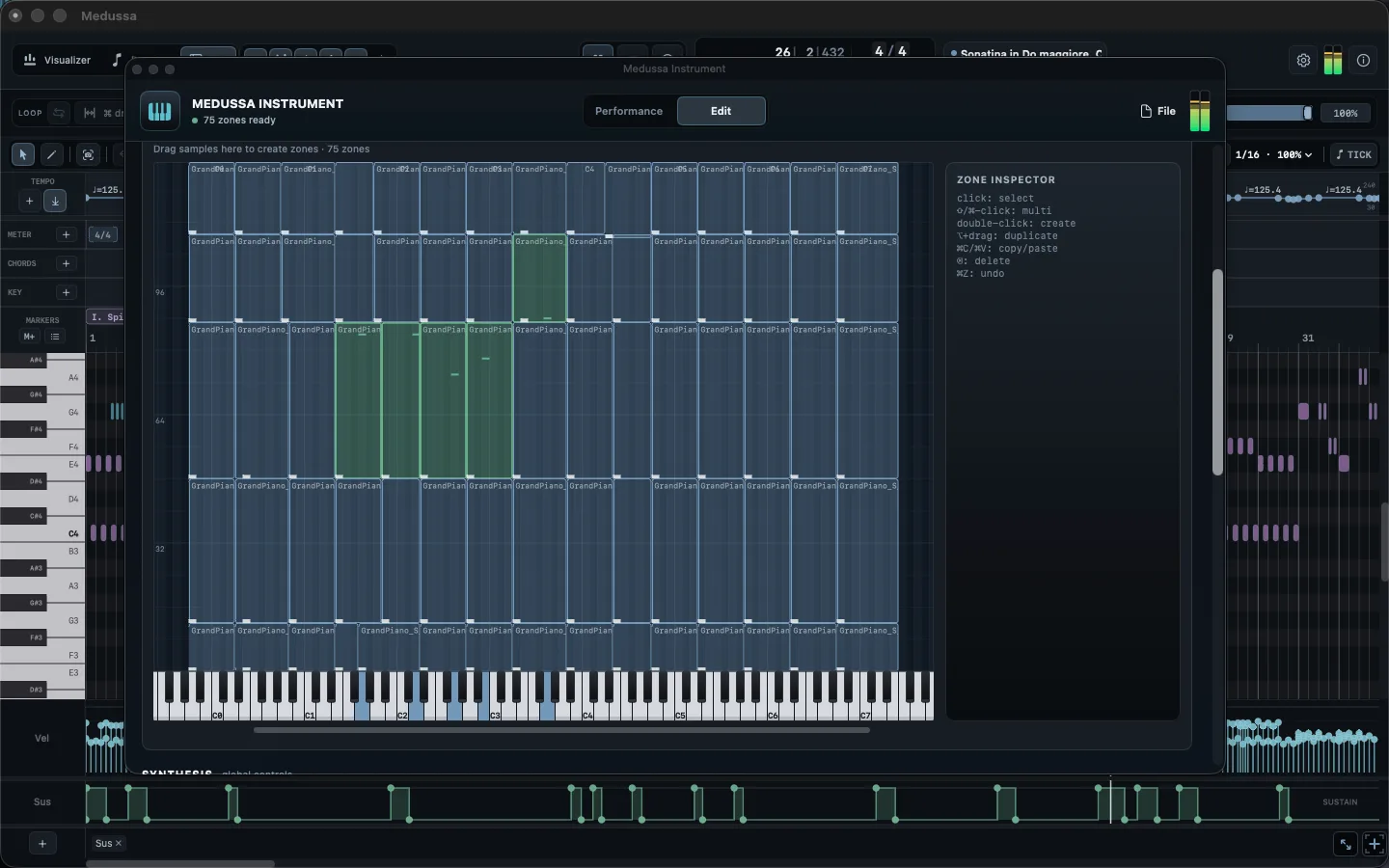
Medussa comes with its own sample instrument, a re-sampled grand piano. Shape its volume, tuning and envelope, add EQ, delay, reverb and tape, or load your Audio Unit instruments — with a separate sound for the practice guide.
Sample mapping
- Create, duplicate and move zones
- A custom envelope for each zone
- Save it as your own instrument

Effects
- 4-band EQ with analyzer
- Delay, reverb and tape saturation
- Quality and RAM or streaming modes
Export your piano as 4K video
Export the whole piece or just a few bars, up to 4K at 30, 60 or 120 frames per second, in 16:9, 9:16 or 1:1. In vertical formats the camera can follow the music on its own or move exactly where you tell it. Transparent video, WAV and MIDI are there when you need to keep working in another app.
Start without a piano
Medussa includes two pieces ready to play — Bach’s Prelude in C major and Clementi’s Sonatina Op. 36 No. 3 — with hands split and training plans set up. Open File › Sample Sessions and press play.

Frequently asked questions
- What is Medussa?
- Medussa is a MIDI piano visualizer for Mac. You play live from a MIDI keyboard or open a MIDI file, and the notes fall onto an 88-key keyboard and turn into particles, curves and water waves. It also has guided practice, a piano roll editor, chord charts and video export.
- What’s new in version 1.3?
- Tighter timing: playback, the metronome and the audio track share one timeline. Practice plans save automatically, the audio track follows the tempo without changing pitch, and every slider responds instantly. The full list is in “What’s new in Medussa 1.3” on this page.
- Do I need a MIDI keyboard or piano?
- No. Medussa works with any MIDI keyboard or piano, but you can also open MIDI files or start from the two sample sessions that come with the app.
- Can I turn a MIDI file into a video?
- Yes. Open the MIDI file, choose an appearance and export it as MP4 up to 4K at 30, 60 or 120 frames per second, in 16:9, 9:16 or 1:1. MOV with transparency is also available.
- Can I record and edit my playing?
- Yes. Record from your piano, then edit notes, hands, velocity, pedal and other MIDI controls in a full piano roll. You can quantize with swing and groove, and export the result as MIDI or WAV.
- Does it make chord charts?
- Yes. Medussa shows the chord names as you play, generates a first harmony from the notes and turns it into a chord chart you can transpose and export as PDF.
- What do I need to run it, and how much does it cost?
- Medussa runs on Apple Silicon and Intel Macs with macOS 13 Ventura or later. It is available on the Mac App Store for USD 29.99.
Specs
- System
- macOS 13 Ventura or later, on Apple Silicon and Intel
- Input
- Any MIDI keyboard or piano — or none at all
- Languages
- English, Spanish, Portuguese, Japanese and Korean
- Opens
- MIDI, WAV, AIFF and MP3
- Exports
- MP4, MOV with transparency, WAV, MIDI and PDF